





Property Inspection App for iPad and Android | TouchRight Skip to content

Property Inspection App for iPhone, iPad and Android

Complete the whole inspection on your phone or tablet and send the finished report before you leave the property. Native iOS and Android apps, unlimited photos, voice dictation, and everything works with no signal.

  • iPhone, iPad and Android
  • Works fully offline
  • Unlimited photos
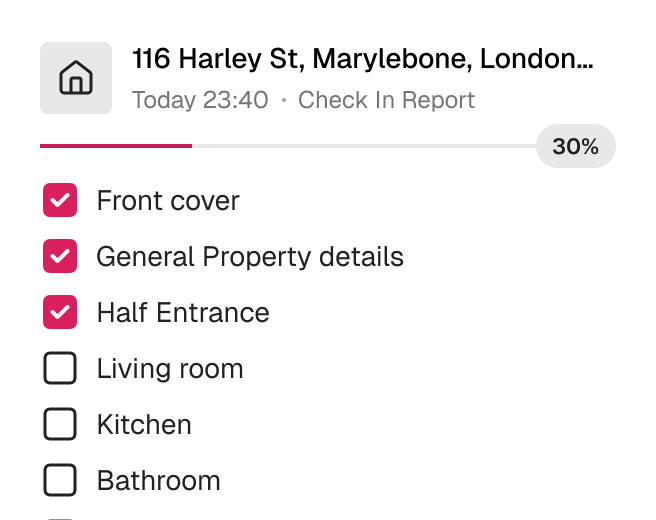
TouchRight mobile app part-way through a property inspection, showing a room-by-room checklist with progress.

Trusted by 600+ Property Professionals

Belvoir Martin & Co The Stow Brothers FHP Living Farrell Heyworth Altus Pinnacle Bradford Metropolitan District Council

What a property inspection app does

A property inspection app replaces the clipboard, the separate camera and the evening write-up. You walk the property with a phone or tablet, record condition and cleanliness room by room, capture photos that attach themselves to the right item, and produce a branded PDF report when you finish.

TouchRight is a native app, available on the Apple App Store and Google Play Store. It is built to be used on tablets as well as phones, including iPad and Android devices, and everything you capture syncs to your cloud dashboard.

Why it has to work with no signal

The properties that matter most are often the ones with the worst reception: basements, new-builds, rural lets and blocks with thick walls. An app that needs a connection to save your work will fail at exactly the wrong moment.

With TouchRight you download your appointments, complete the full inspection, and sync when you are back online. Your content is saved as you go, and the app uses little data while you inspect, mostly during sync. We recommend syncing over WiFi, especially when you have captured a lot of photos.

Everything you need in your pocket

The app is built around the way inspections are actually carried out on site.

Works Fully Offline on iOS and Android

Download your appointments, complete the inspection and sync when you are back in range. Data is stored on the device, and syncing happens in the background when a connection is available.

  • Complete a full inspection with no connection
  • Automatic sync when you reconnect
  • Start on one device, finish on another
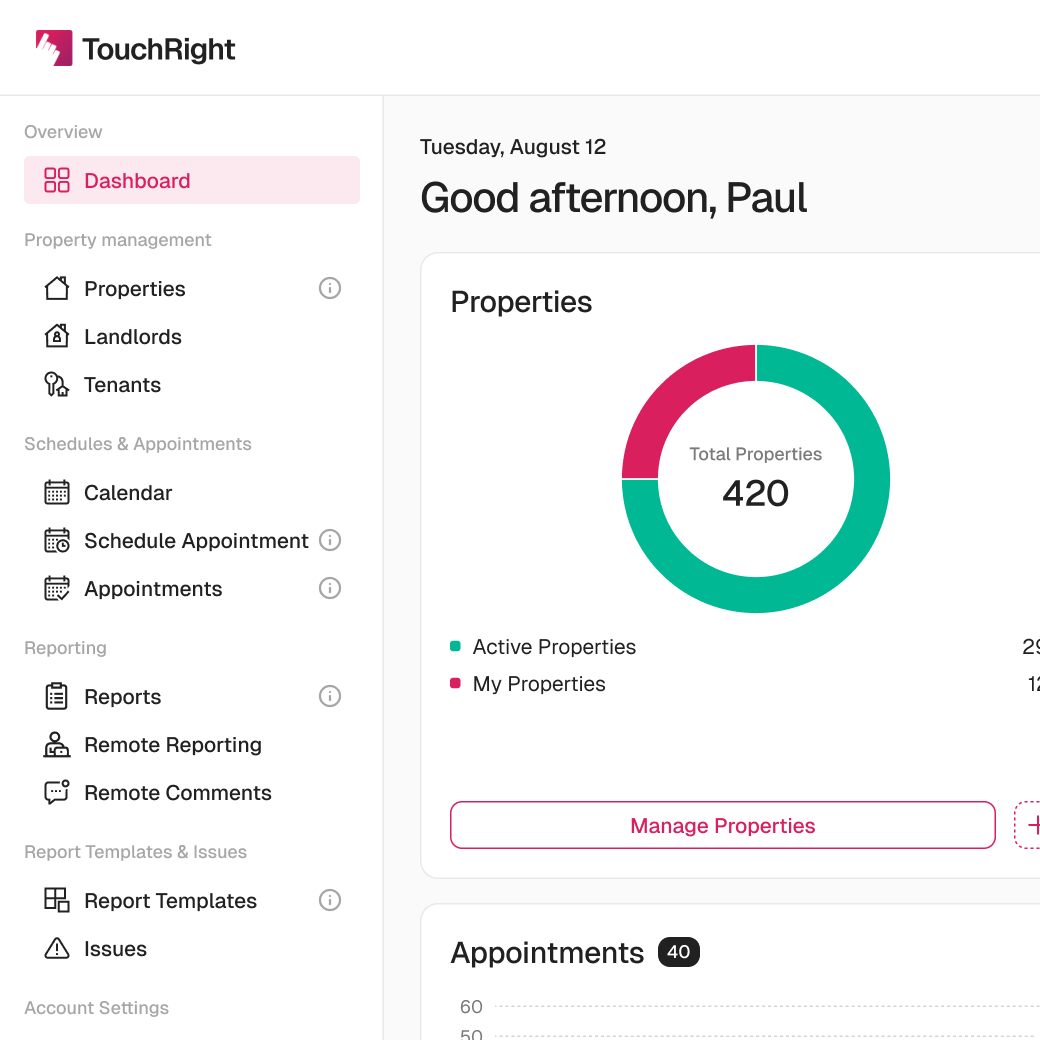
The TouchRight cloud dashboard listing properties, reports and appointments after syncing from the mobile app.

Unlimited Photos, Straight Into the Report

Snap unlimited photos directly in the app and they are assigned automatically to the correct room and item, timestamped as you go.

  • Multi-shot mode, tap-to-focus and flash controls
  • Drawing and arrow annotations
  • Full-size photo gallery linked from the PDF
Photos captured during an inspection, each timestamped and attached to the item it documents.

Talk Instead of Type

Dictate notes using your device’s speech-to-text, which works with Siri and Google Voice. Report Assist then suggests photo descriptions and condition wording, so you are editing a draft instead of typing every line.

  • Voice dictation for hands-busy rooms
  • AI-drafted descriptions from your own photos
  • Review and edit every line before it is final
Report Assist AI suggesting condition descriptions against inspection photos, each with edit and regenerate options.

Built for Fast Walk-Throughs

Swipe between rooms, clone items and room details, and see “Last time” comments from previous reports, so a repeat inspection starts from what was recorded before.

  • Swipe between rooms
  • Clone items and room details
  • Linked check-in, mid-term and check-out reports
TouchRight mobile app part-way through a property inspection, showing a room-by-room checklist with progress.

Put the app on your next inspection

Download it, run a real inspection on your 30-day free trial and see the report finished before you leave the property.

Say goodbye to the clipboard and the camera roll

Most inspectors do not switch because paper stops working. They switch because the write-up eats the evening.

A clipboard and separate camera compared with the TouchRight app across six criteria
 Clipboard and separate cameraTouchRight app
PhotosTaken separately, matched up laterTaken in the app and tagged to the item automatically
NotesHandwriting or typingVoice dictation, plus AI-drafted descriptions
No signalNot a problem, but nothing is digitalFull inspection offline, syncs when you reconnect
Repeat visitsFlick back through old paperwork“Last time” comments and linked reports
Finishing the reportA desk write-up afterwardsBranded PDF sent from the property
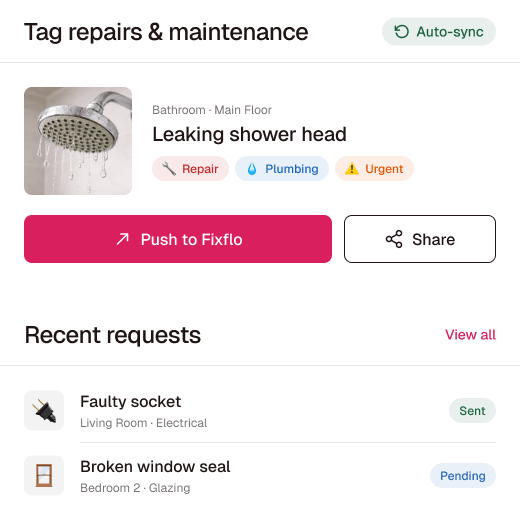
RepairsNoted, then re-keyed elsewhereTagged in the app and pushed to Fixflo or contractors

How it works

Four steps from downloading the job to sending the report.

  1. Download your appointments

    Open the app, synchronise and download the appointments assigned to you, with property details to hand.

  2. Walk the property

    Record condition room by room, dictating notes and capturing photos as you go. No signal needed.

  3. Let Report Assist draft it

    AI descriptions appear against your photos, ready for you to check, tighten or overrule.

  4. Sync and send

    Sync when you are back in range, generate the branded PDF and send it, with signatures if you need them.

Phone or tablet?

Either works. A phone is easier to carry through a property and quicker for a short visit. A tablet gives you more screen for large inventories and for reviewing photos, and the app runs on iPad and Android tablets as well as on iPhone and Android phones.

We do not publish a minimum operating system version on our website, so check with us before rolling the app out to older devices. The 30-day trial is a good way to test it on the devices your team already owns. For a full buyer’s checklist, read how to choose a property inspection app.

Who uses it

Letting agents

Give negotiators and property managers one app for inventories, check-ins, mid-terms and check-outs, with templates controlled centrally.

Independent inventory clerks

Produce reports under your own branding for every agency you work with, from the phone or tablet you already carry.

Property management companies

Put every inspector on the same app and templates, whichever office or contractor carries out the visit.

Landlords with several properties

Inspect your own properties professionally, with the same evidence trail an agency would create.

Built for efficiency, trusted for accuracy

TouchRight has been producing property reports for UK agencies and clerks since 2012.

  • 600+Companies use TouchRight
  • 1.3M+Reports completed
  • 247k+Properties managed
  • 4.8 / 5Independent rating

Connect with the tools you already use

Sync TouchRight with leading property management and maintenance platforms, so appointments reach the app and finished reports flow back.

  • Alto
  • Reapit
  • agentOS
  • Acquaint
  • SME Professional
  • Qube
  • Fixflo
  • Signable
  • The Depositary

Plus an open API for anything not on the list. Learn more about Integration.

Flexible plans that adapt to you

Start your 30-day free trial with full access for up to 5 properties. No credit card required.

Monthly lite

£10 /month

Includes 4 reports a month, with extra reports at £2.50 each. Unlimited properties, 10 users and unlimited devices.

All inclusive

From £25 /month

Priced on portfolio size, with unlimited reports, users and devices. Account-lifetime report storage on every plan.

Switching is easier than you expect

Send us the reports you produce now and we will rebuild them as templates, so your output is familiar from day one. Run the app alongside your current method for a few inspections, then switch fully once you are comfortable.

Our UK-based team runs live webinars and step-by-step guidance from setup onwards. Browse sample reports to see the finished output first.

Frequently asked questions

Is there a property inspection app for iPad?

Yes. TouchRight is built to be used on tablets as well as phones, including iPad and Android devices. It is available on the Apple App Store and Google Play Store.

Is there a property inspection app for Android and iPhone?

Yes. TouchRight has native iOS and Android apps. You complete the inspection on the app, and reports sync to your cloud dashboard.

Does the app work without an internet connection?

Yes. The TouchRight mobile app works fully offline on iOS and Android. You can download your appointments, complete the whole inspection and capture photos with no signal, and everything syncs to your dashboard when you reconnect.

Will the app drain my battery or use a lot of data?

Your content is saved as you go and the app works offline, so it uses little data while you inspect. Most data use happens when you sync. We recommend syncing over WiFi, especially with many photos.

Can I dictate notes instead of typing?

Yes. TouchRight uses your device’s speech-to-text for voice dictation, and it works with Siri and Google Voice.

Is TouchRight home inspection software?

TouchRight is built for UK lettings and property management inspections, such as inventories, check-ins, mid-terms, check-outs and compliance checks. If you need another type of home inspection report, such as a pre-purchase survey, ask us whether it fits before you start a trial.

How much does TouchRight cost?

TouchRight starts at £10 a month for the lite plan, which includes 4 reports a month, with extra reports at £2.50 each, unlimited properties and 10 users. The all-inclusive plan starts from £25 a month, is priced on portfolio size, and includes unlimited reports, users and devices. Report storage lasts for the life of the account on every plan.

Can I try it before I commit?

Yes. The 30-day free trial gives full access for up to 5 properties, with no credit card required, so you can run live inspections alongside your current tool before you decide.

Try the app on your next inspection

Start a free 30-day trial and complete a full inspection on a real property. No card required to begin.

600+ companies · 1.3M+ reports · AIIC partner · rated 4.8/5 on Kerfuffle

Simplify your property inspections with TouchRight

Start your free trial or book a quick demo to see how easy digital reporting can be.